API & automation
Everything the dashboard does goes through Sol2Docker's HTTP API at /api/v2 — so anything you
can do in the UI, you can do from a script, CI, or your own tooling. This page covers how to
authenticate, where the docs live, and the two patterns worth knowing (jobs and streams).
API tokens
Create a token in the dashboard under Account → API tokens:
- Scope —
full(inherits your roles) orread-only(reads + non-mutating probes only). - Expiry — optional; omit for a token that never expires.
The plaintext is shown once — copy it. Send it on every request as a Bearer header:
curl -H "Authorization: Bearer s2d_…" https://sol2docker.example.com/api/v2/environments
A token carries no permissions of its own — it acts as you, bounded by your roles and the same per-route RBAC the dashboard uses. To limit an integration's blast radius, create a dedicated user with a narrow role (or a read-only token) and issue the token from that account.
Interactive docs (Swagger / OpenAPI)
Your Sol2Docker instance serves live API docs, on by default (at your instance's own URL, e.g.
https://sol2docker.example.com/docs):
- Swagger UI —
/docs— browse every endpoint by resource, see request and response shapes, and Try it out (click Authorize and paste yourBearer s2d_…token). - OpenAPI spec —
/openapi.json— point Postman, code generators, or your own tooling at it.
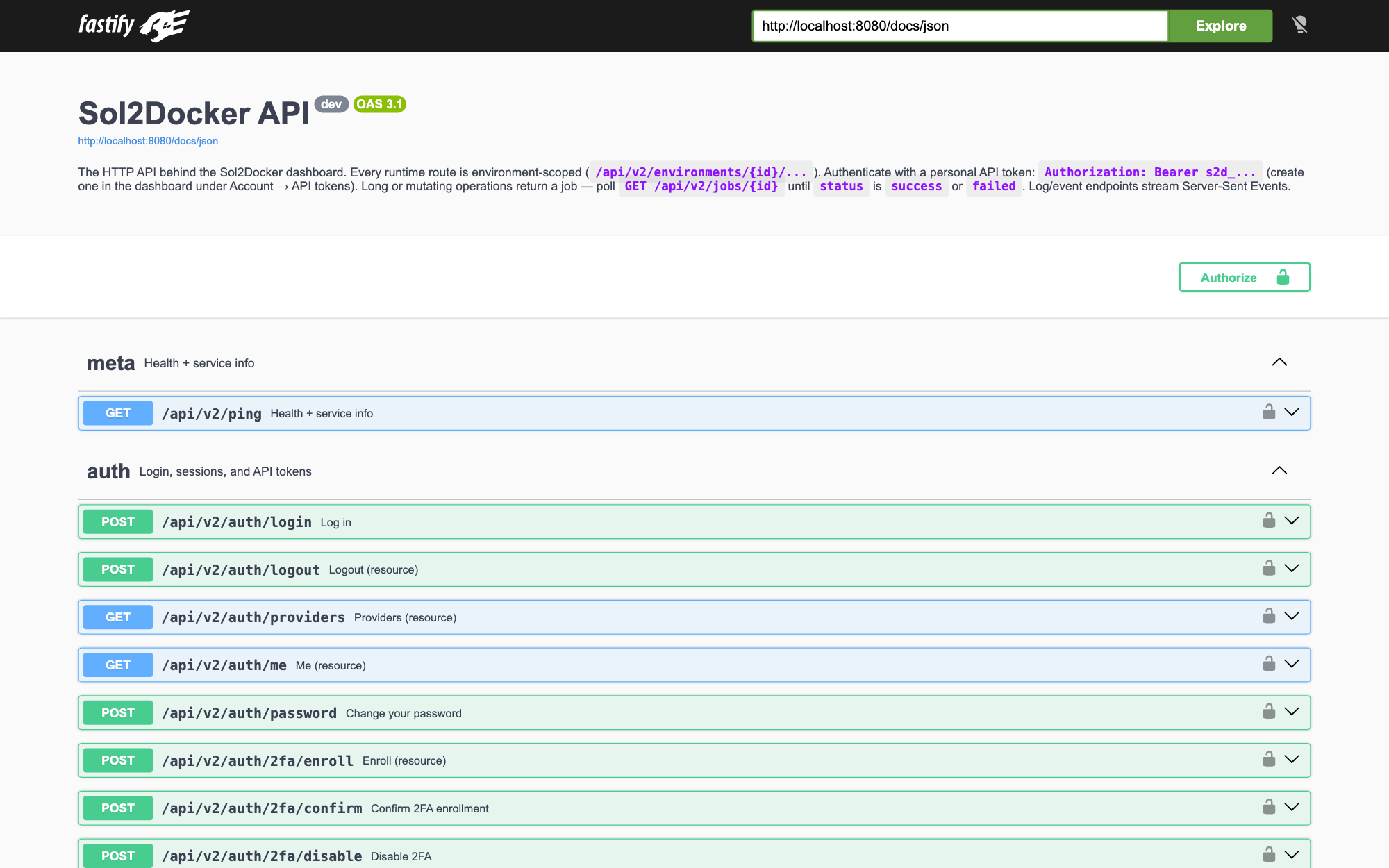
Operators can turn the docs off with SOL2DOCKER_API_DOCS=off (see
Configuration); the API itself is unaffected.
Environment-scoped routes
There is no unscoped "global Docker" route. Every runtime call names an environment:
/api/v2/environments/{envId}/containers/…
/api/v2/environments/{envId}/stacks/…
/api/v2/environments/{envId}/services/…
List your environments (and their ids) first:
curl -H "Authorization: Bearer s2d_…" \
  https://sol2docker.example.com/api/v2/environments
Long operations are jobs
Anything long or mutating — deploys, image pulls, container/service lifecycle, prunes — returns a job instead of blocking. Poll it to completion:
# kick off a stack deploy → { "job": { "id": "job-…", "status": "queued" } }
JOB=$(curl -s -H "Authorization: Bearer s2d_…" -H "content-type: application/json" \
  -d '{"name":"web","source":"file","compose":"services:\n  web:\n    image: nginx"}' \
  https://sol2docker.example.com/api/v2/environments/$ENV/stacks | jq -r .job.id)

# poll until status is success | failed (the response includes streamed log lines)
curl -s -H "Authorization: Bearer s2d_…" \
  https://sol2docker.example.com/api/v2/jobs/$JOB
Logs & events stream (SSE)
Log and event endpoints are Server-Sent Events (text/event-stream), not JSON:
curl -N -H "Authorization: Bearer s2d_…" \
  "https://sol2docker.example.com/api/v2/environments/$ENV/containers/$CID/logs/stream"
Read the stream for as long as you need and close the connection. (The dashboard uses a cookie for
these because browsers can't set an Authorization header on EventSource; a Bearer client has no
such limitation.)
Let an AI agent drive it
Want an AI assistant to operate your infrastructure through this API? See the AI / MCP integration guide — it wraps these same endpoints as tools an agent can call.