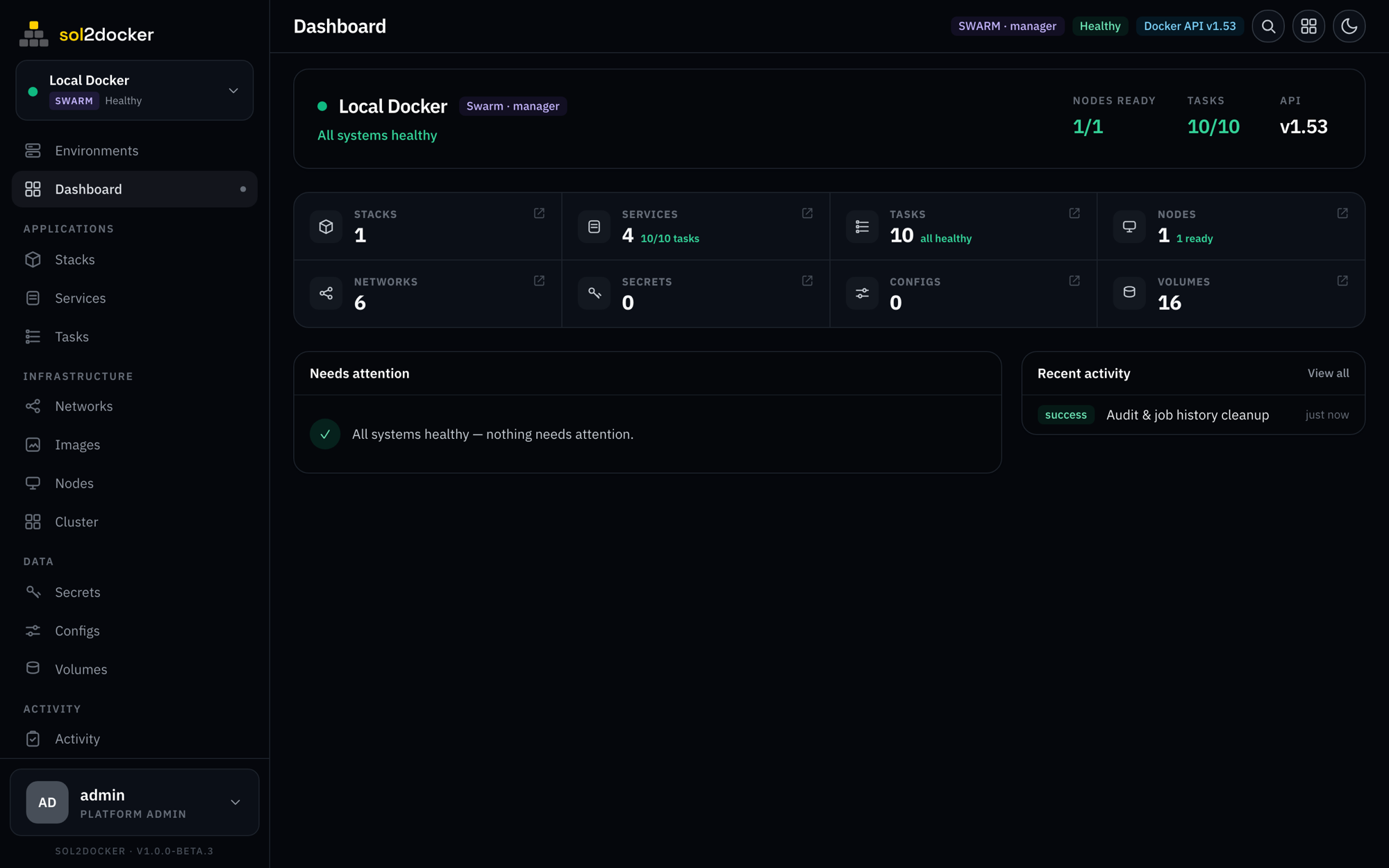
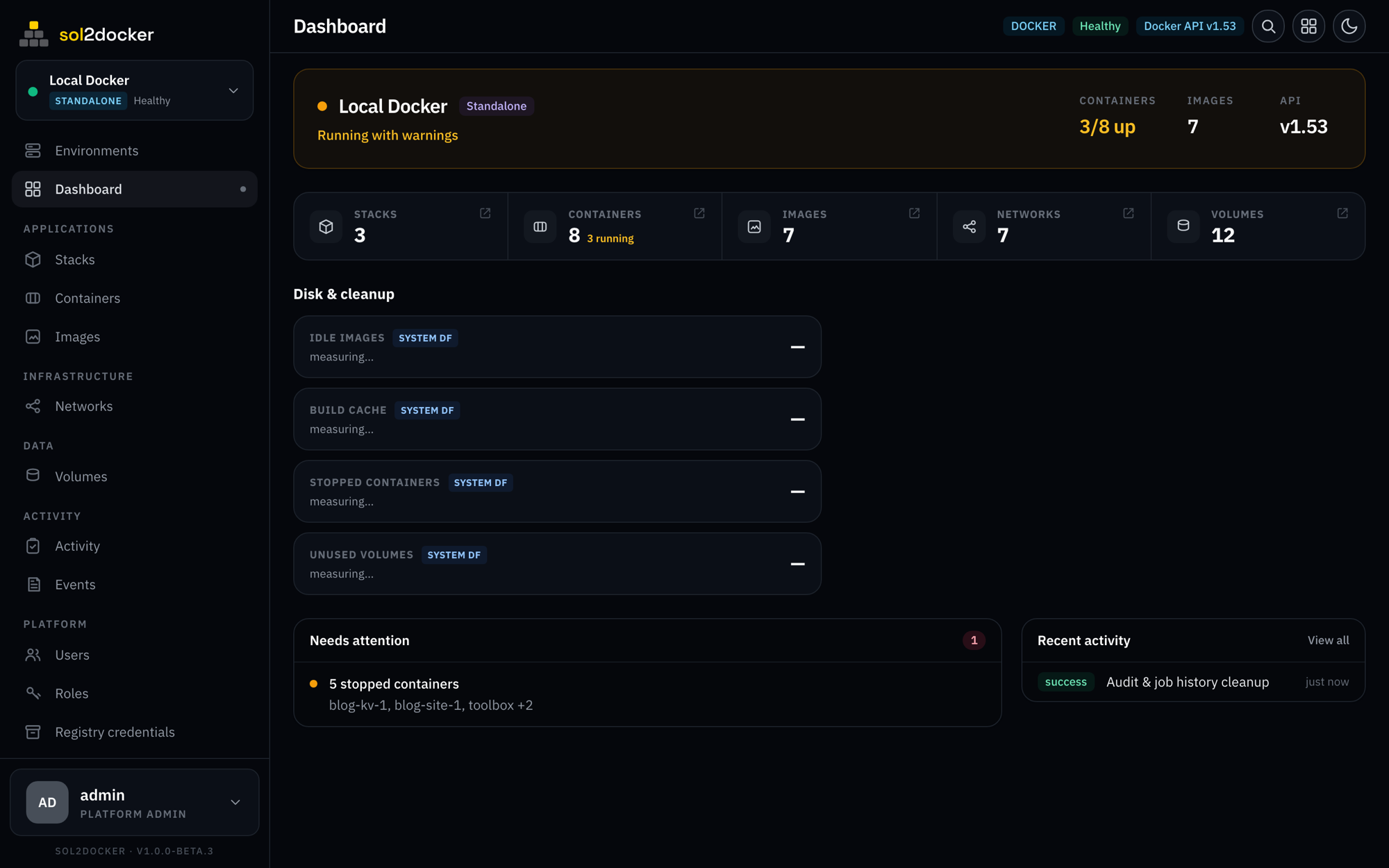
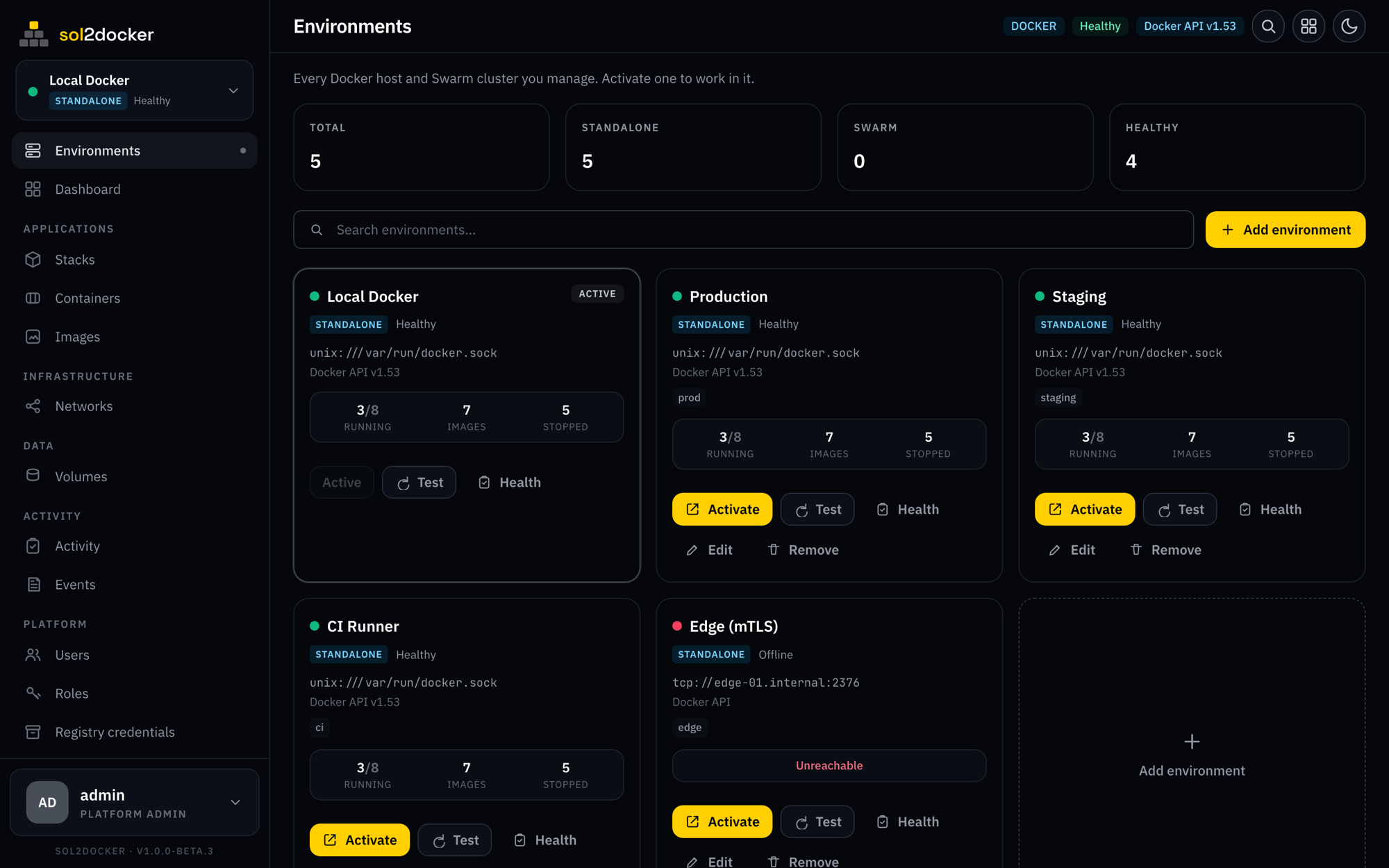
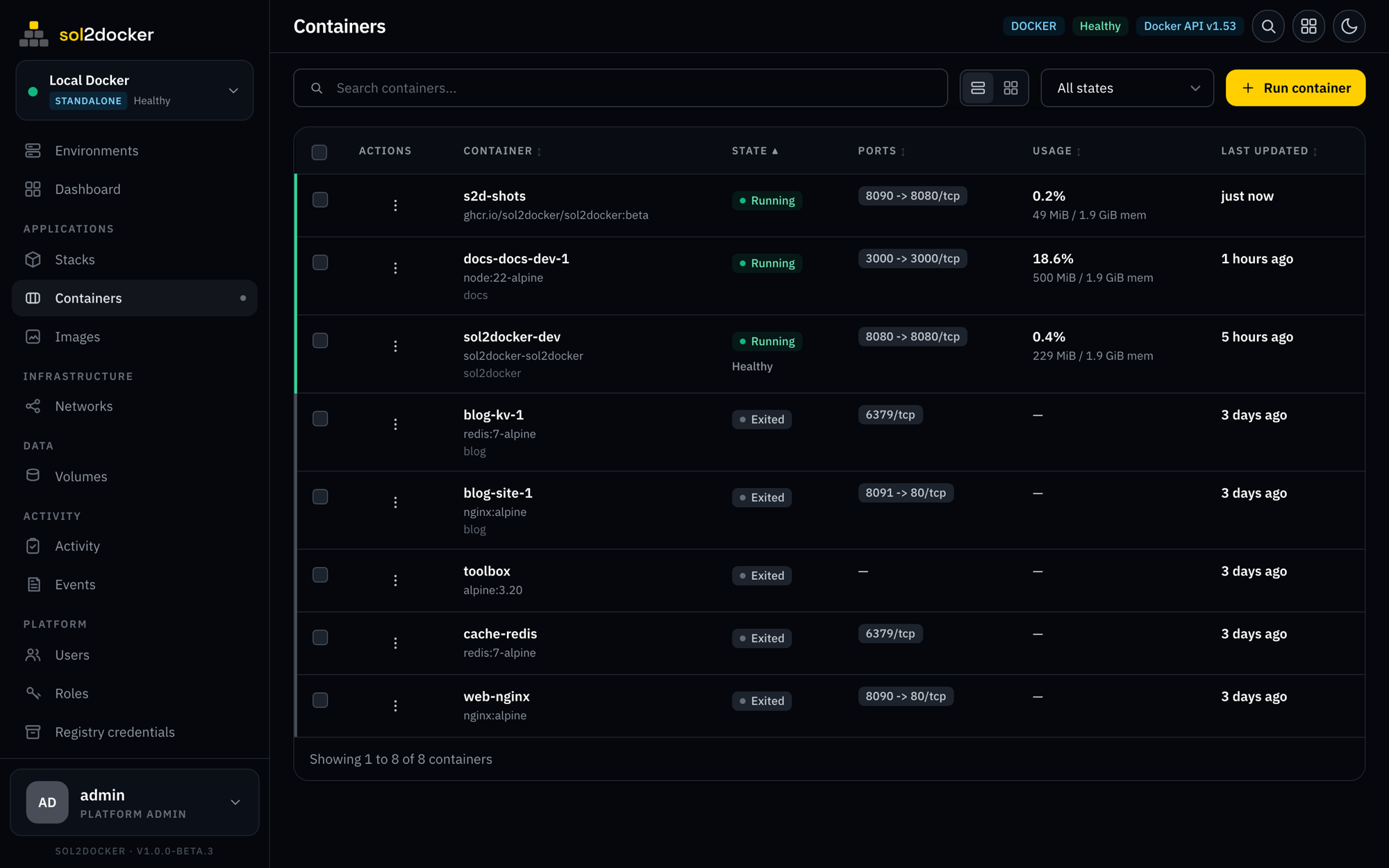
auto-plays · hover to pause · scroll, swipe, or click to browse
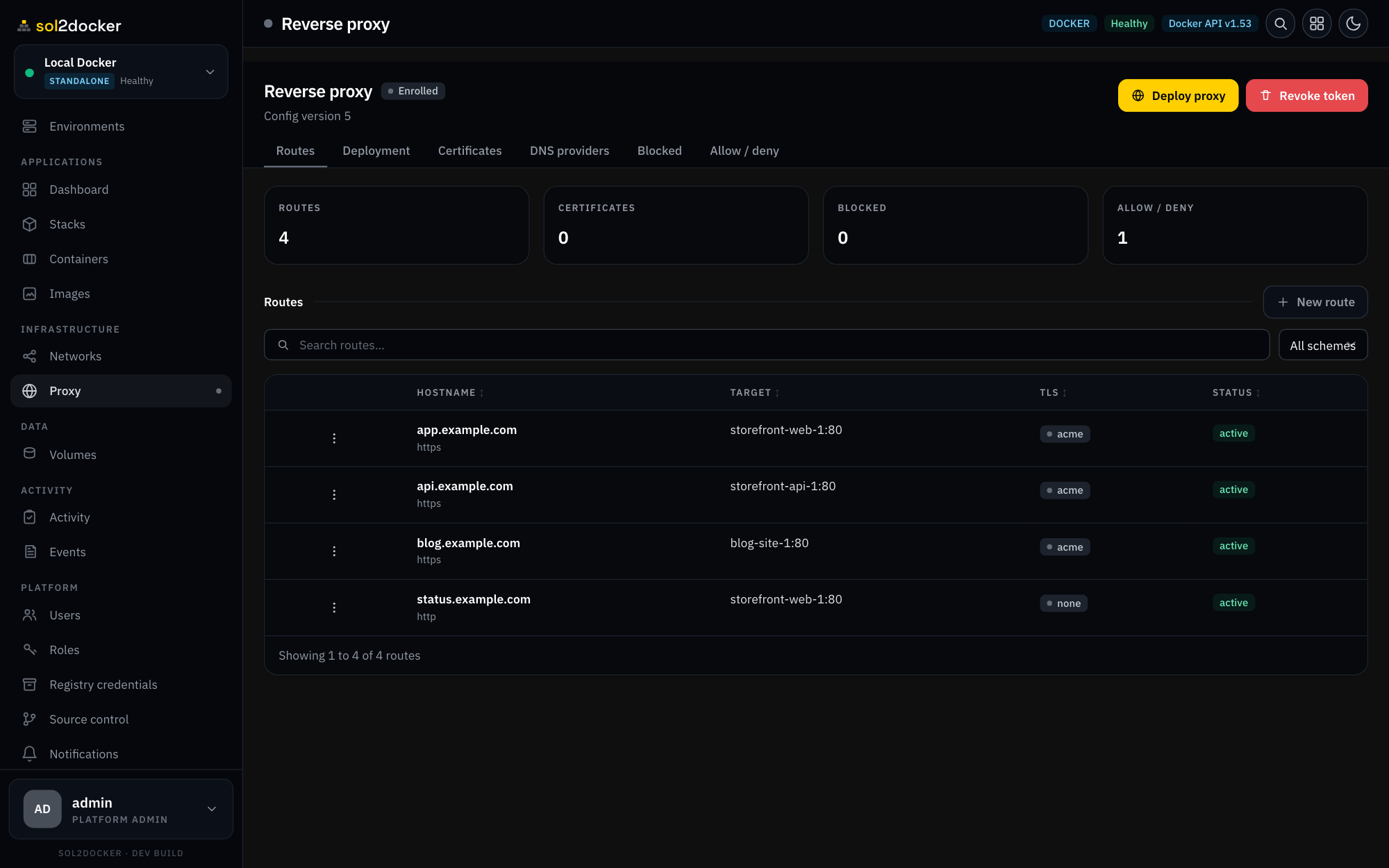
a reverse proxy, built in
Put a domain in front of any service — with automatic TLS, full L4/L7/mTLS routing, and behavioral blocking — managed from the same console and applied with zero downtime.
Explore the reverse proxy →Domains → services
Map a hostname or path to any service or container from the UI — no hand-written nginx, no separate Traefik to wire up.
TLS, handled
Let's Encrypt with auto-renew, or bring your own — across HTTP/HTTPS, WebSocket, TCP/UDP, and mutual-TLS routes.
Behavioral blocking
Allow/deny CIDRs, rate limits, and automatic bans are built in — no fail2ban, no NET_ADMIN, no sidecar.
Zero downtime
Routes and certificates hot-apply live — the proxy never reloads, and serves its last-good config across restarts.
the full weight of Docker, without the terminal
multiple hosts, one console
Add every Docker endpoint — unix socket, TCP, TLS, or SSH — and watch health, uptime, and resource pressure across the whole fleet.
- unix · TCP · TLS client-cert · SSH
- Cross-environment dashboard + uptime history
- Standalone and Swarm, side by side
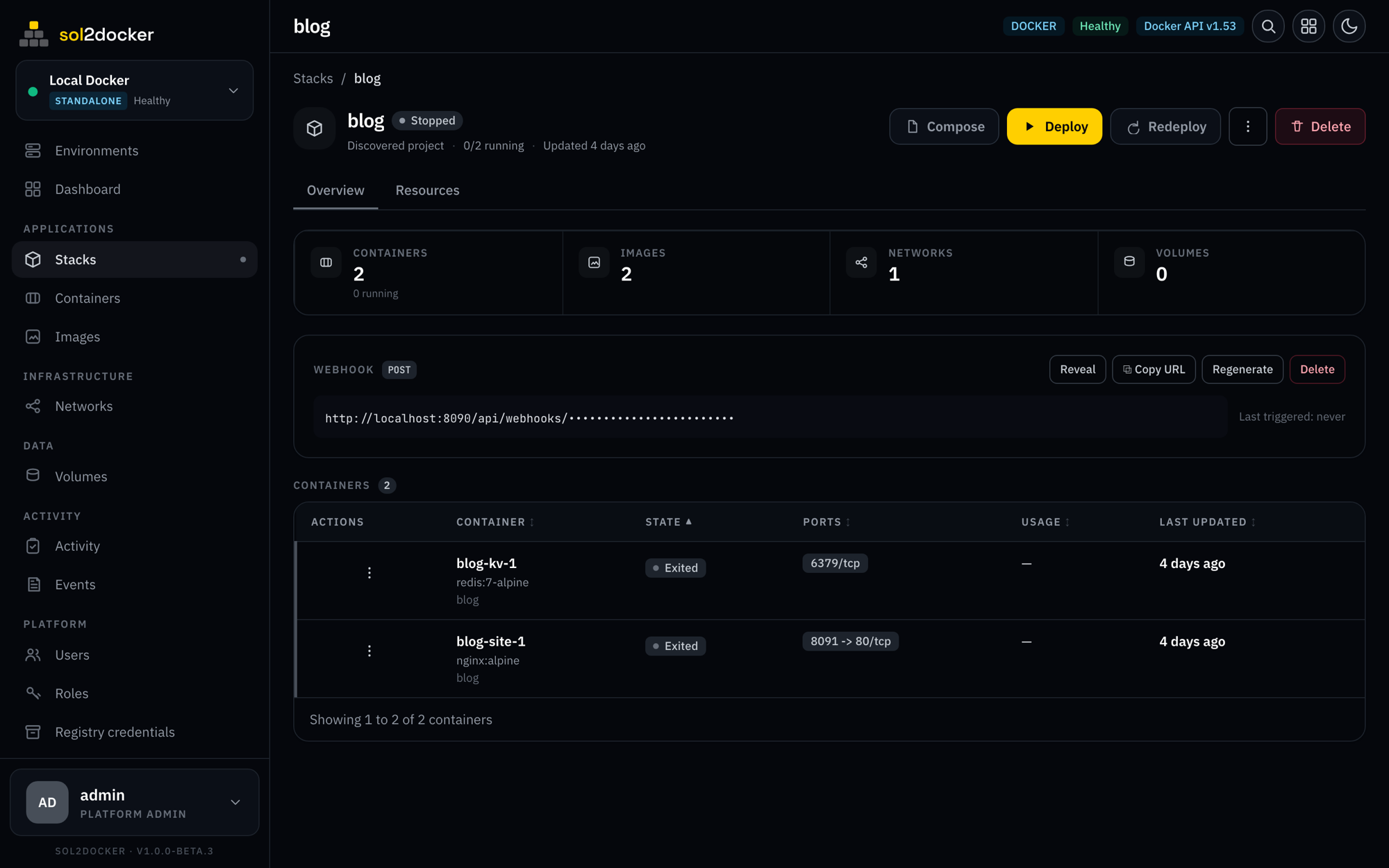
ship on every push
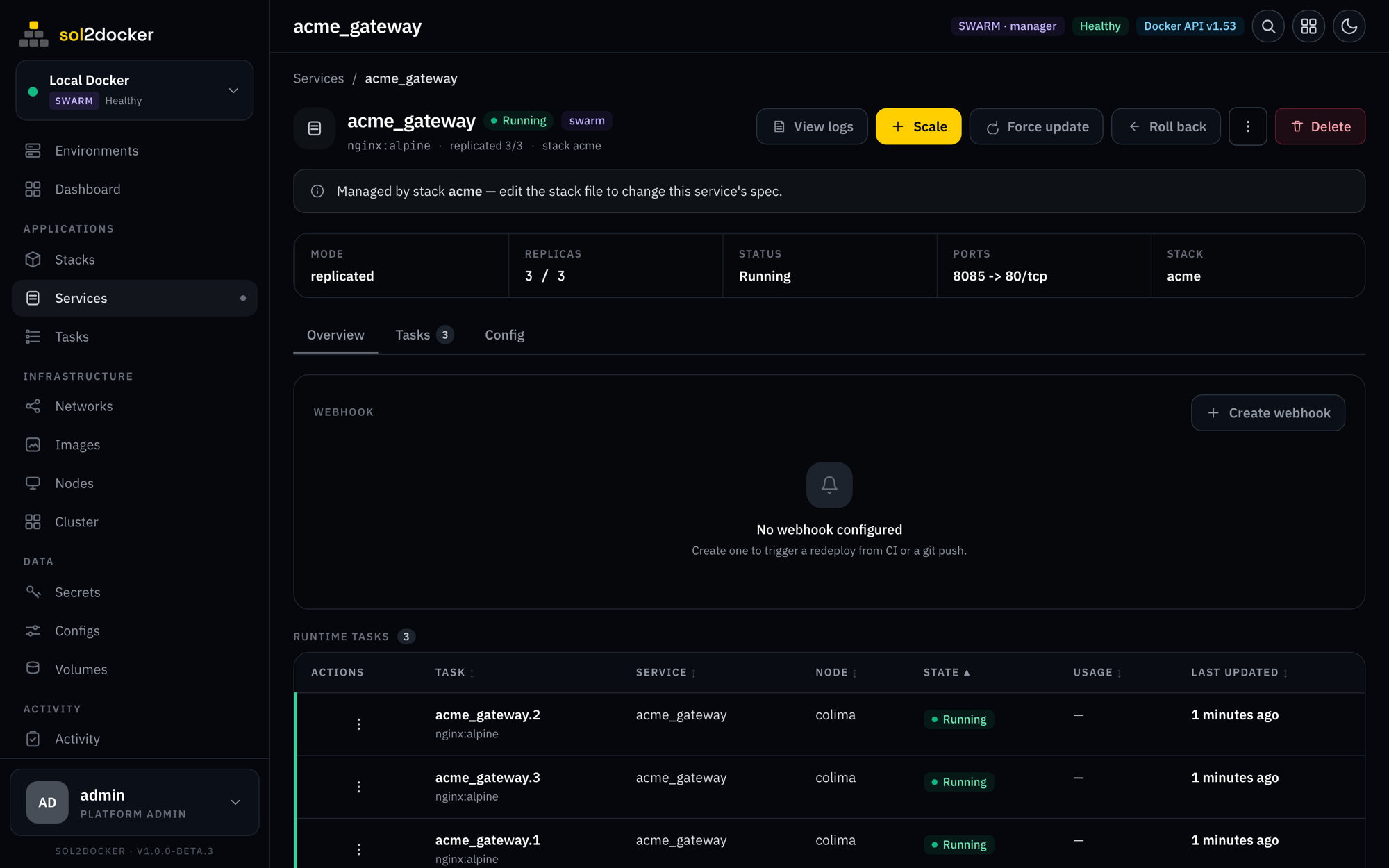
Give any stack or service a token-authenticated webhook. POST to it from CI or a git hook and it pulls and redeploys — no runner on your host.
- One webhook URL per stack or service
- Reveal, copy, or regenerate the token
- Every trigger is rate-limited and audited
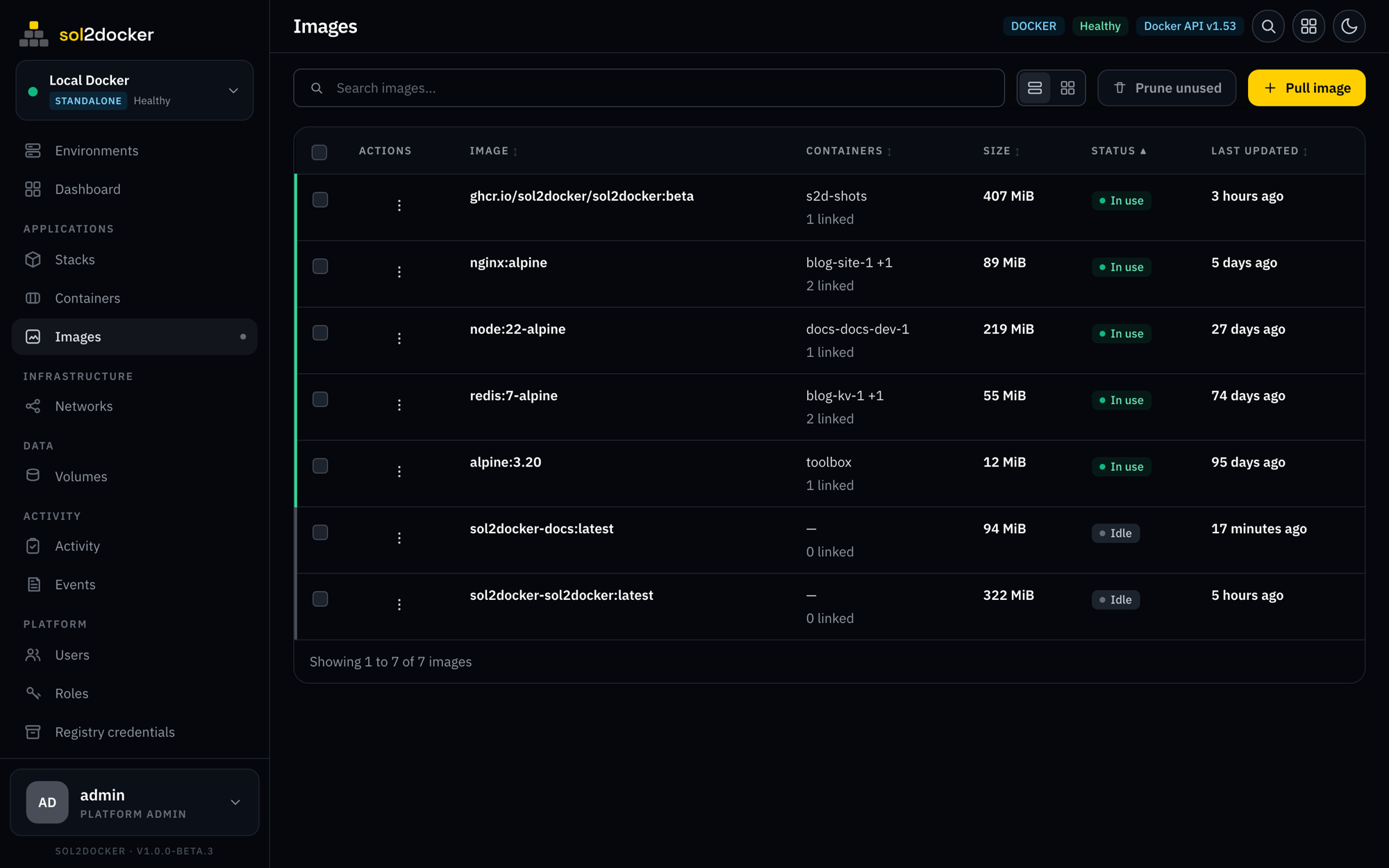
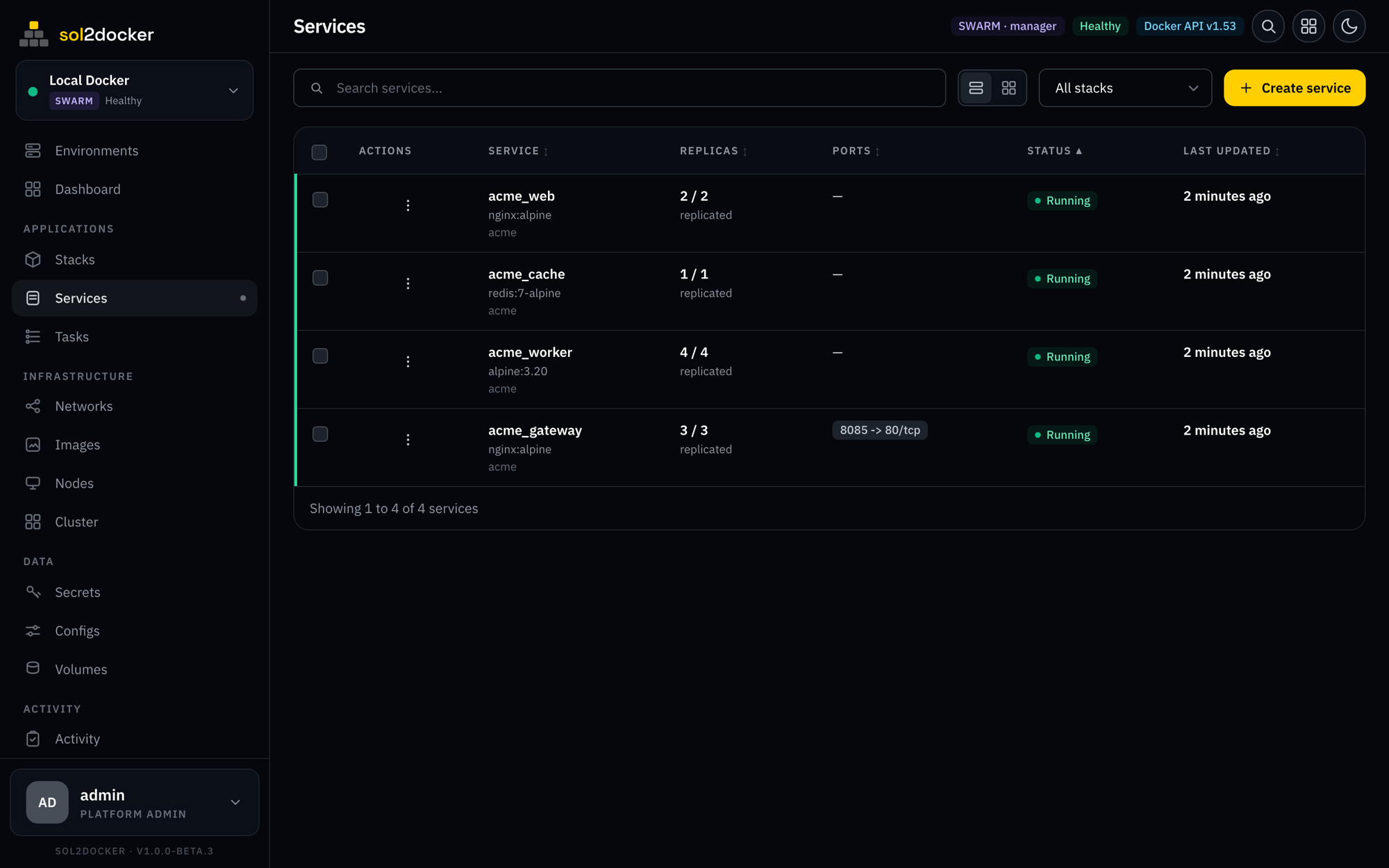
stacks and services, orchestrated
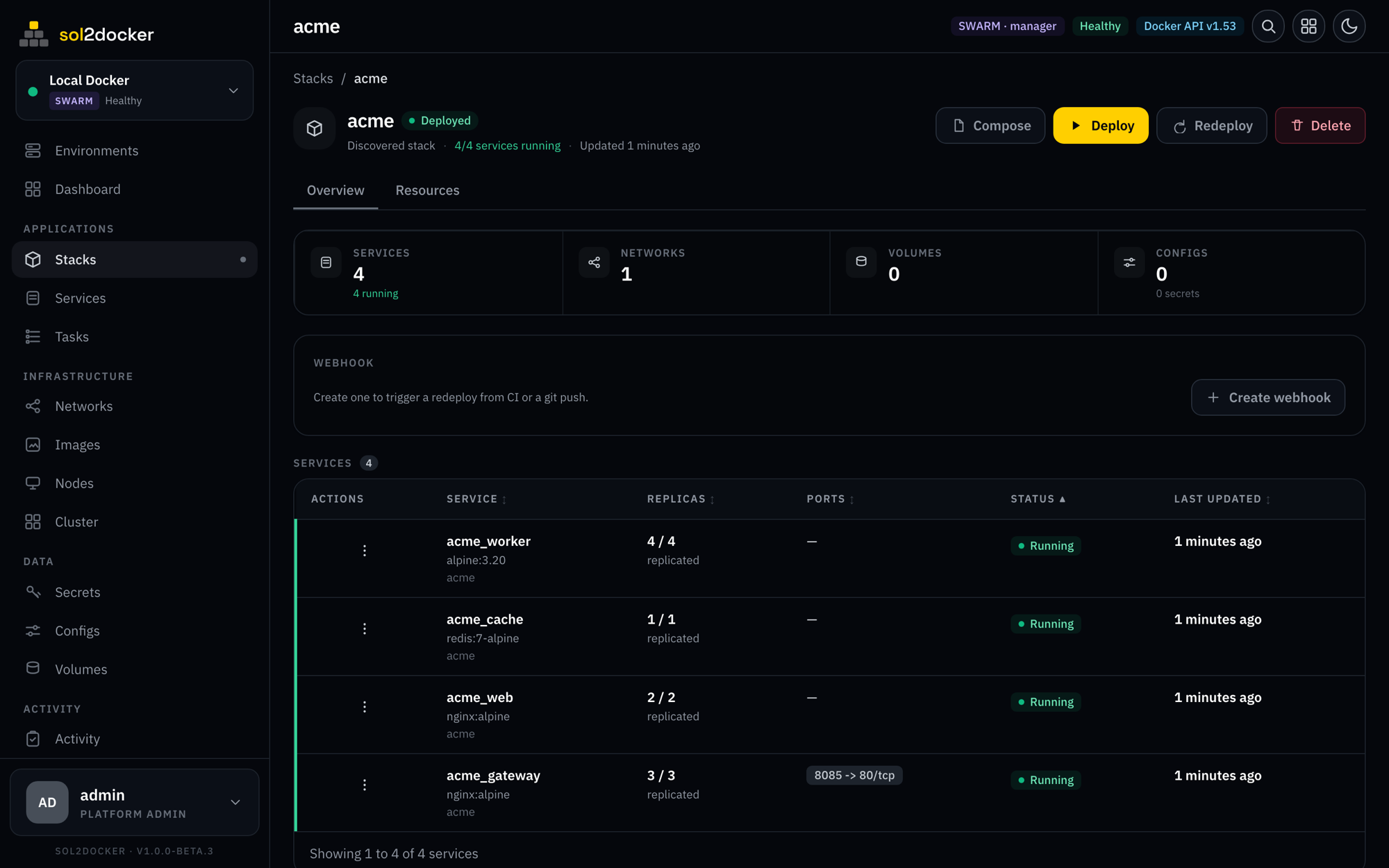
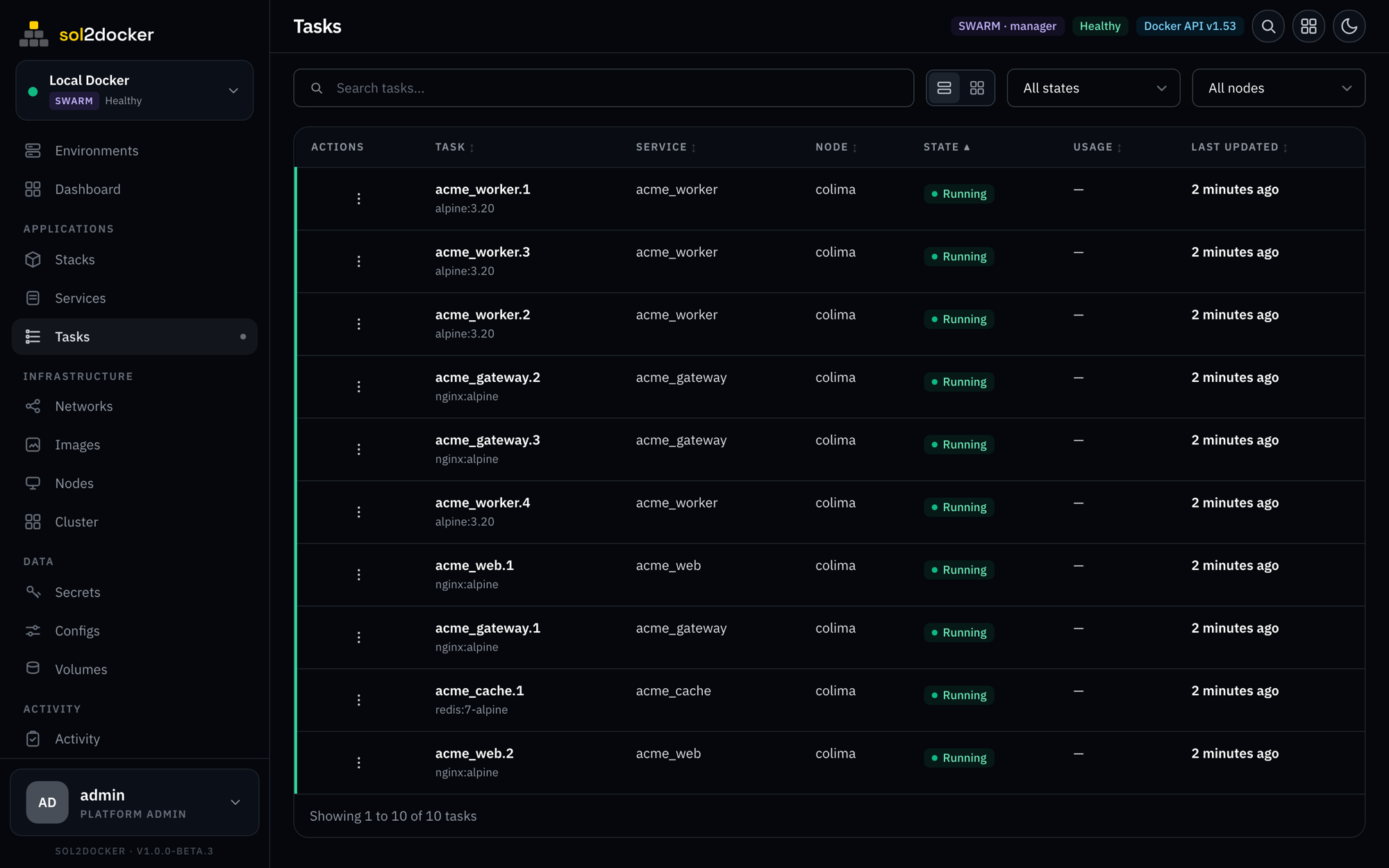
Deploy stacks from pasted YAML or a git repo. Manage Swarm services with replicas, rolling updates, and one-click rollback.
- Deploy from YAML or git, with rollback history
- Scale, force-update, and roll back services
- Secrets, configs, and per-stack env
- Nodes & cluster: drain, promote/demote, join tokens, autolock
- Drift auto-heal for compose stacks
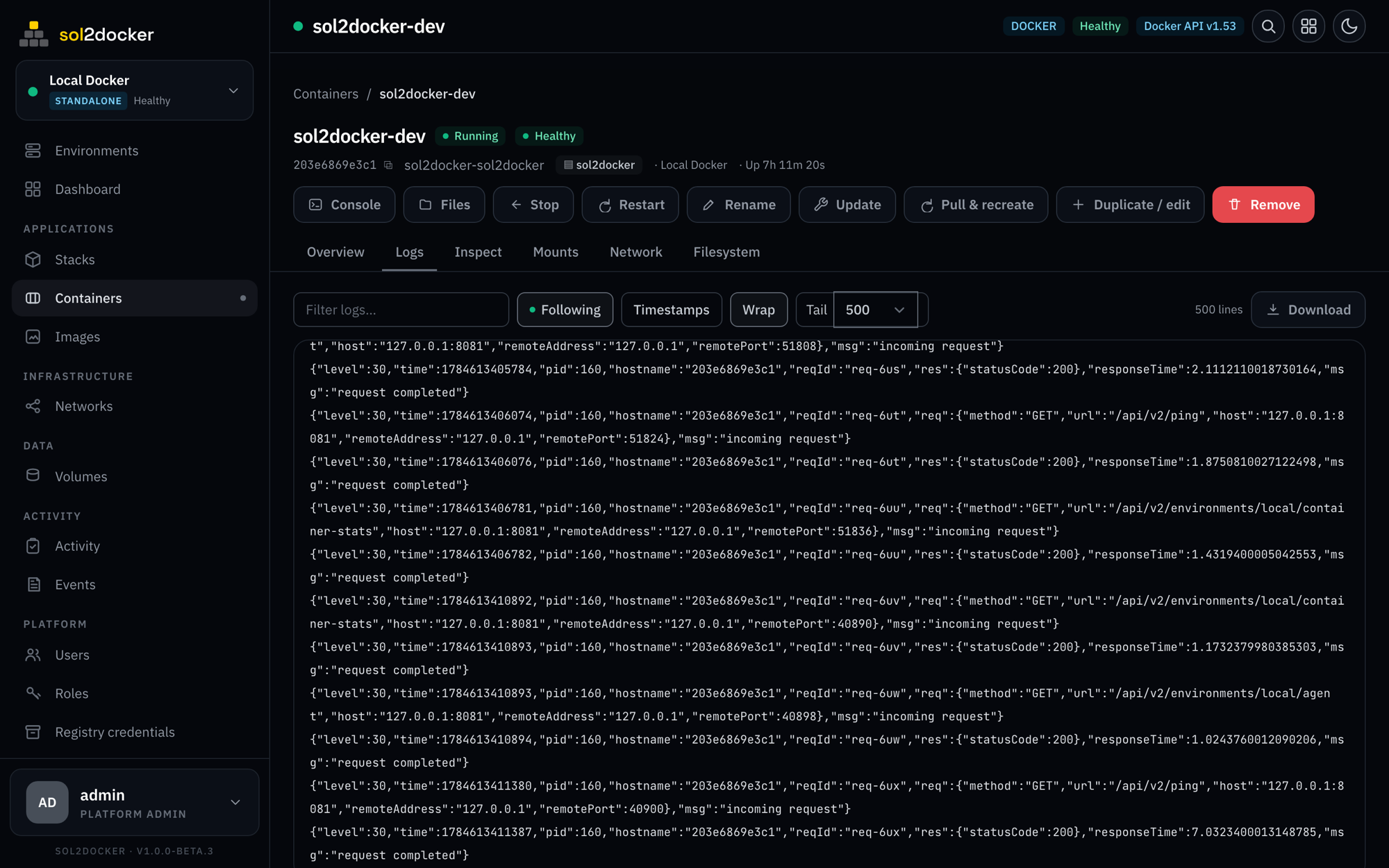
live logs, streaming
Follow logs in real time over SSE — filter, wrap, timestamp, download. Drop into a shell in any container without leaving the browser.
- Live follow with filter and download
- Cluster-wide task logs in Swarm
- Interactive terminal in one click
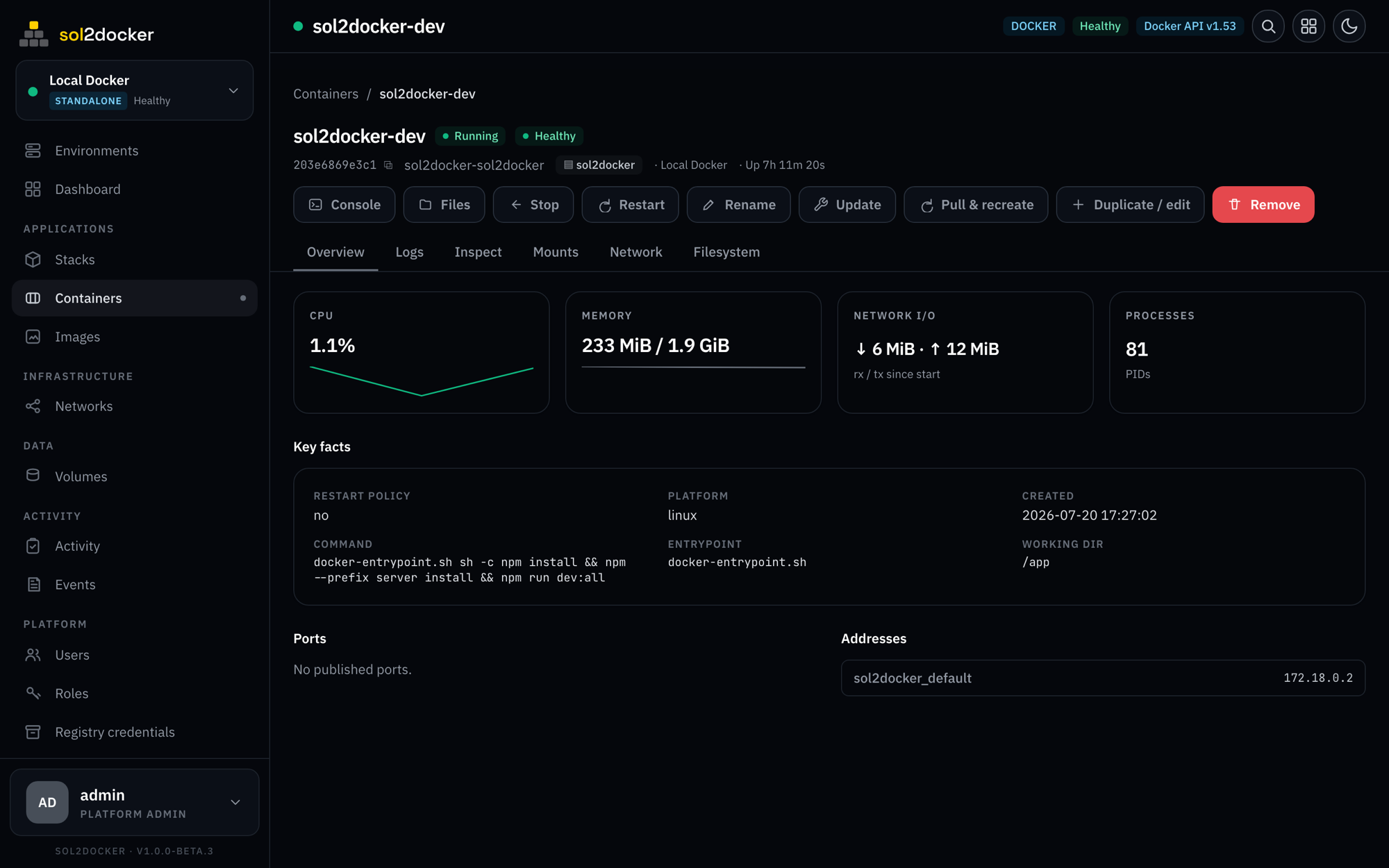
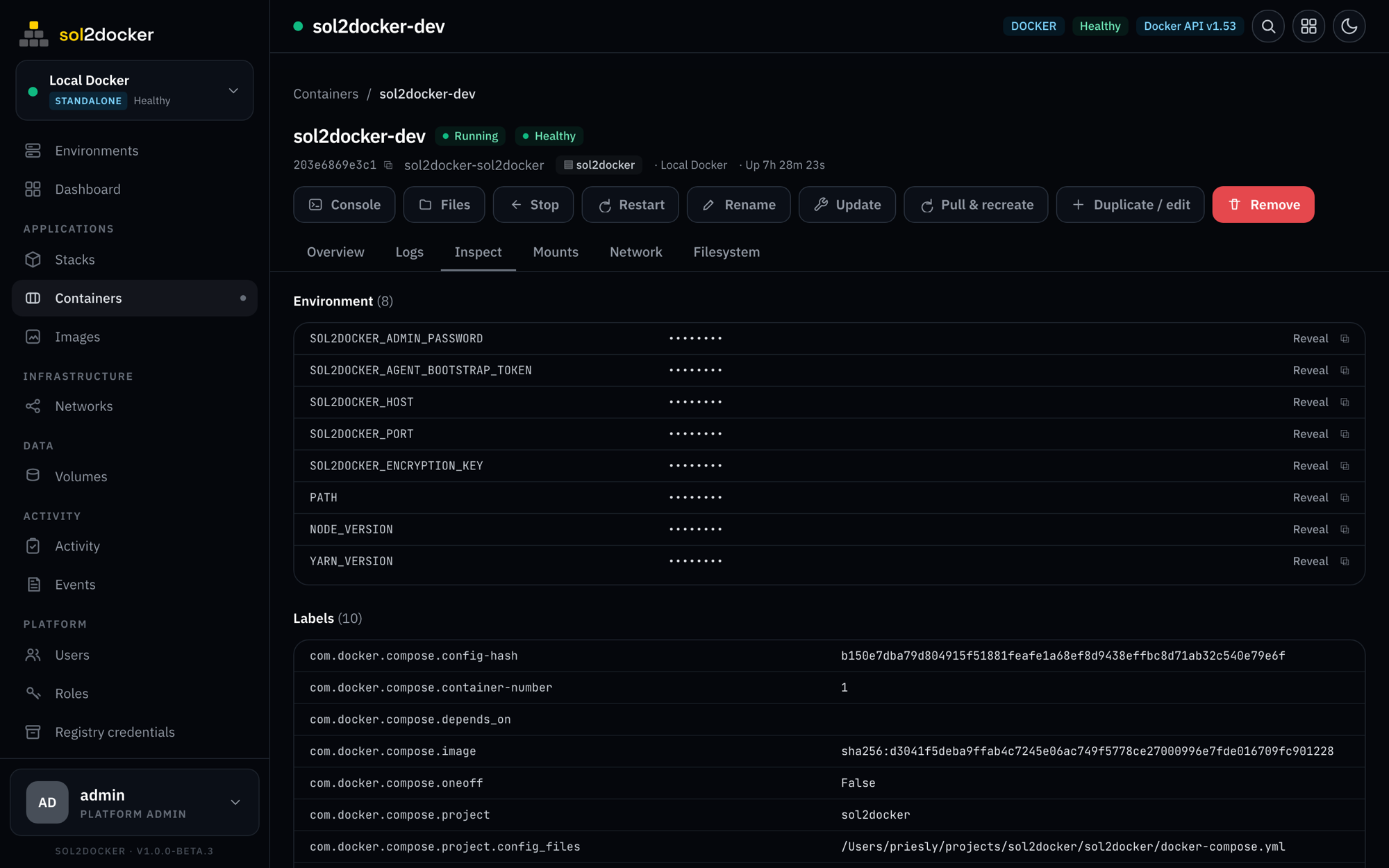
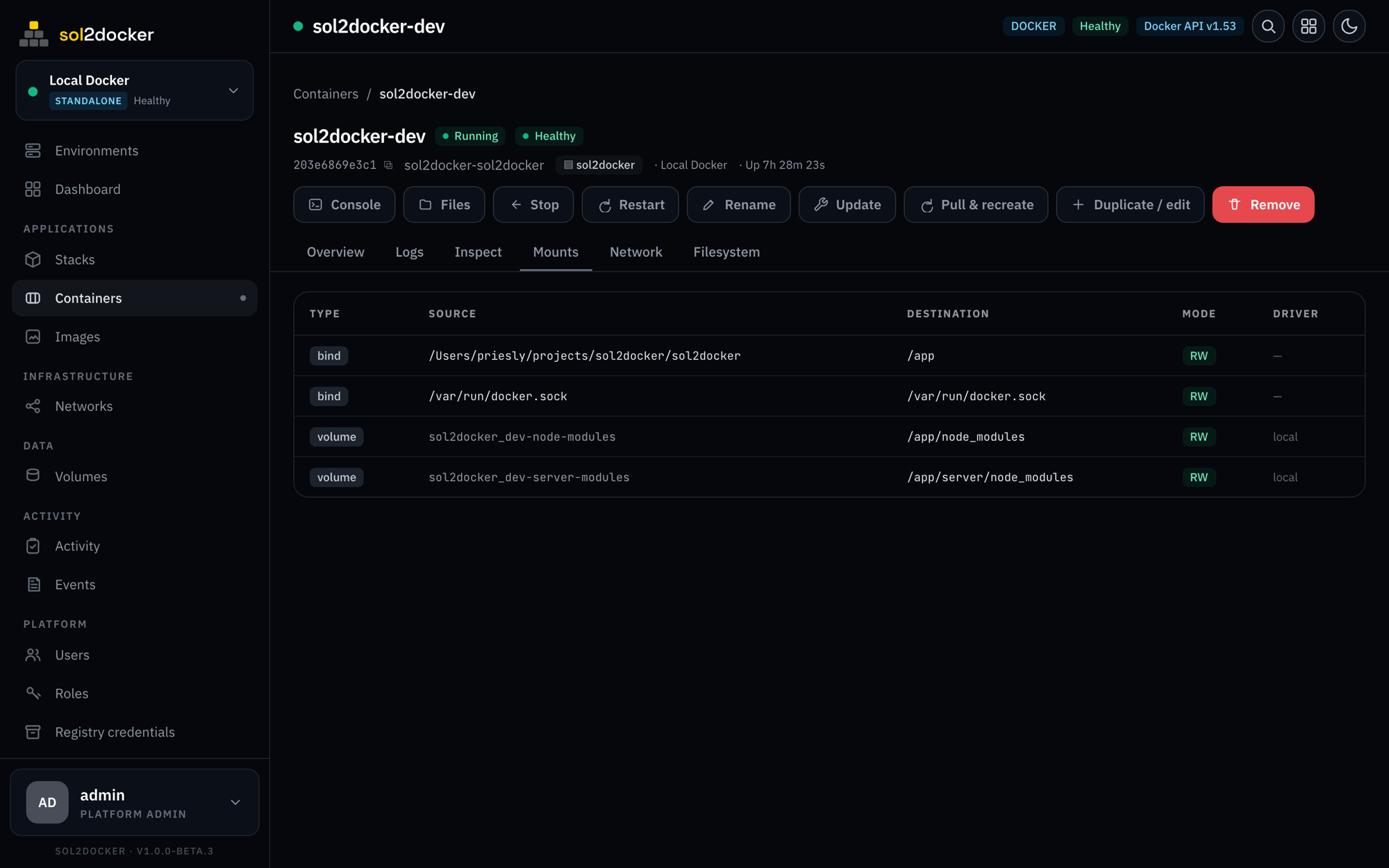
every container, in depth
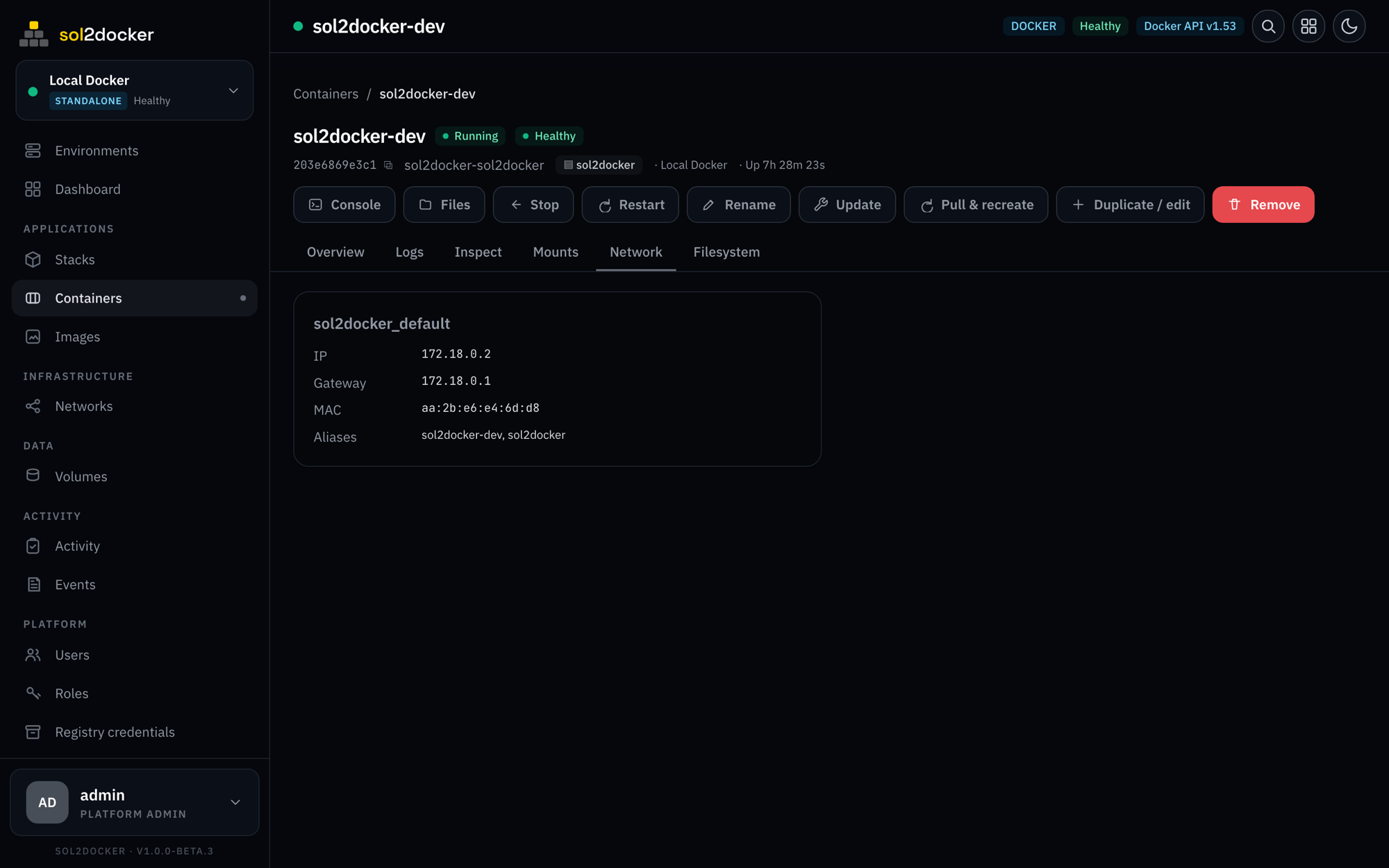
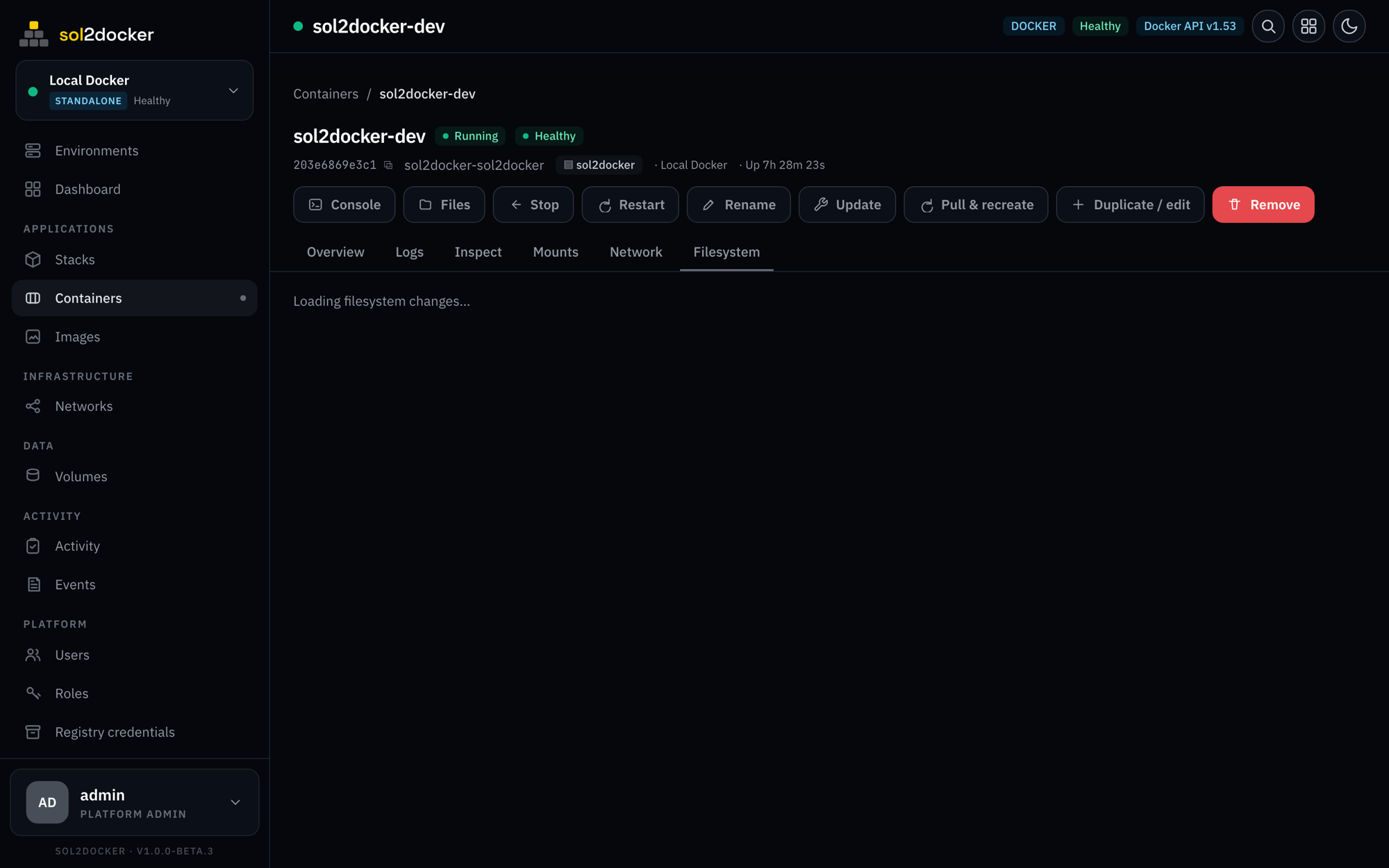
Open any container and see everything — overview, inspect, mounts, network, and its filesystem — with live stats and one-click actions throughout.
- Run containers with full options — ports, env, resources, caps, healthcheck
- Live CPU, memory, and network with sparklines
- Full inspect, mounts, and network detail
- Exec terminal (xterm.js over WebSocket)
- Recreate, pull-&-recreate, rollback on failure
a reverse proxy, built in
Publish any container, service, or stack on a hostname with automatic HTTPS (ACME) certificates. Manage routes, certificates, DNS providers, and IP rules from the dashboard — no separate proxy config to hand-edit.
- HTTP/S, WebSocket, and TCP/UDP routes
- Automatic Let’s Encrypt certificates, or bring your own
- Per-route TLS, HSTS, force-HTTPS, and strip-path
- IP allow / deny rules and CIDR bans
browse — and move — files anywhere
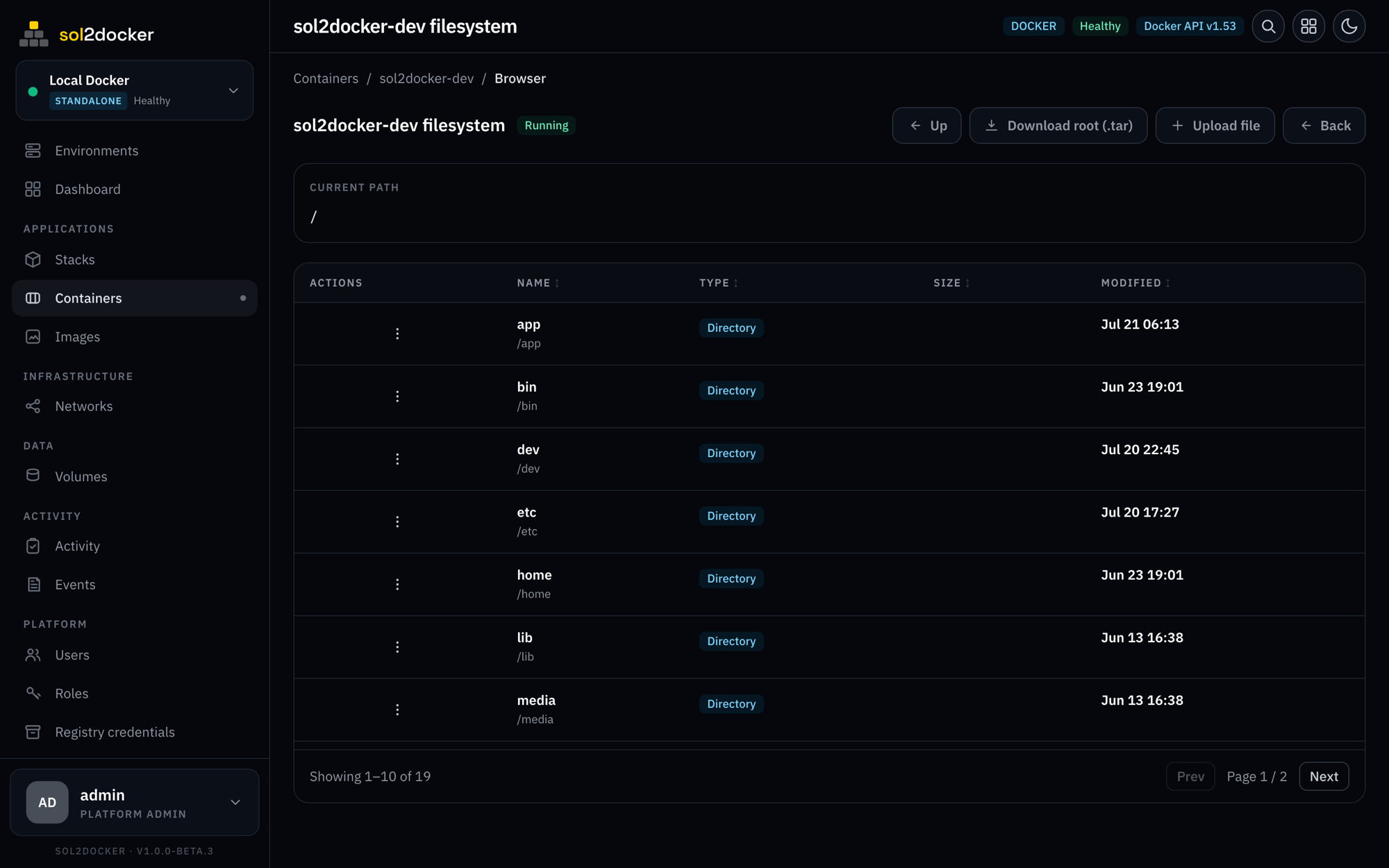
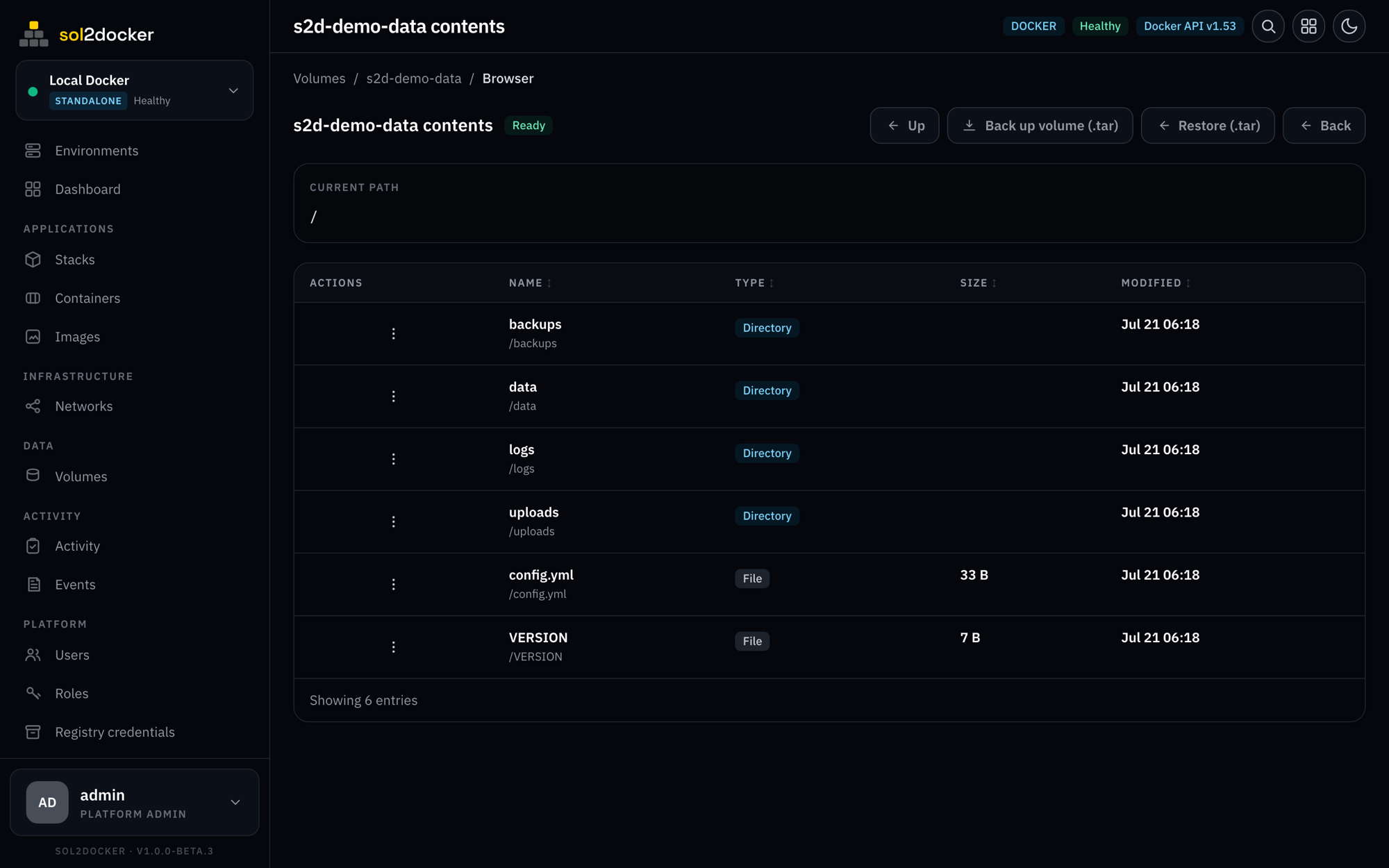
Walk the filesystem of any container, or the contents of any volume, right in the browser. Upload, download a single file or the whole tree as a tar, and back up or restore a volume in one click.
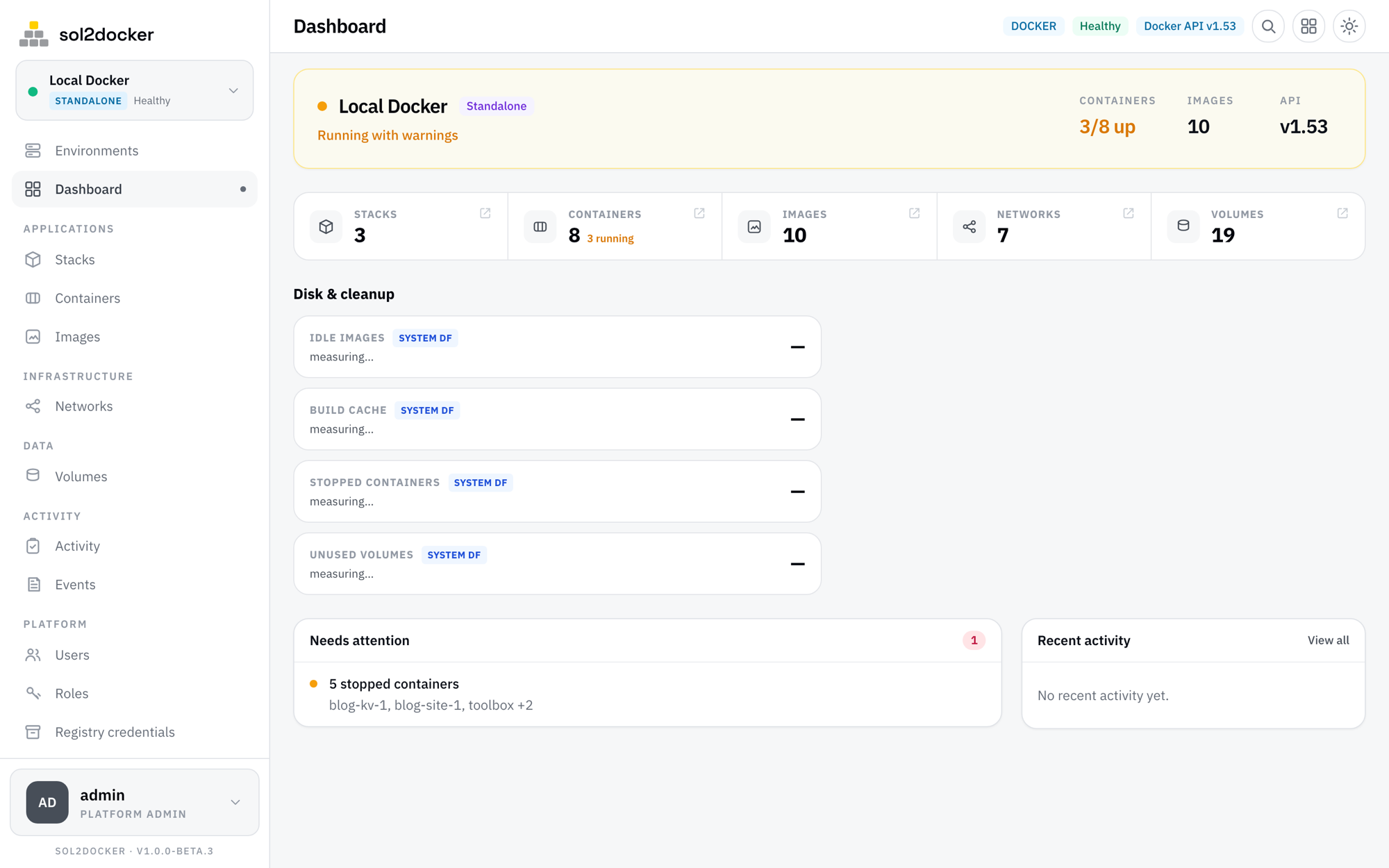
equally at home in light or dark
Every page, chart, and table is built for both — it follows your system theme, or you pick.
everything a self-hosted team needs
Access control
Server-enforced RBAC, TOTP 2FA, OIDC / SSO, and scoped API tokens. Every secret encrypted at rest.
Audit & jobs
Every long or destructive action is a tracked job with streamed logs, backed by an audit trail of who did what, when.
Notifications
Slack, webhook, or email on node-down, deploy, container OOM/unhealthy, or high usage — with quiet hours.
Registries & git
Private registries — browse repos and tags — plus deploy-from-git credentials, assigned per environment.
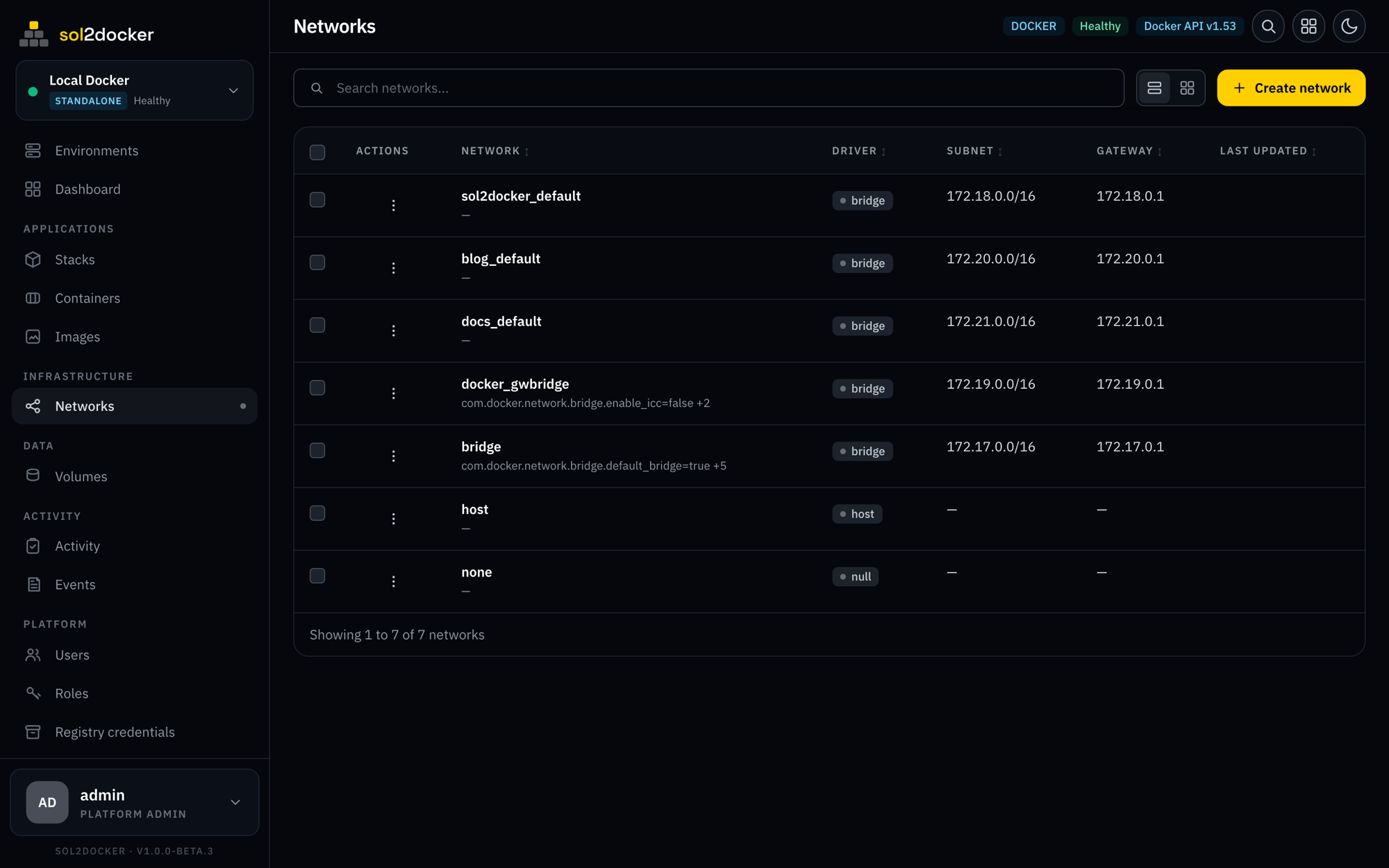
Networks & volumes
Create overlay or bridge networks (IPAM, IPv6, encrypted) and volumes — including NFS/CIFS mounts — then connect and prune.
Schedules & maintenance
Daily restart / redeploy plus built-in cleanup and per-type prunes.
REST API & OpenAPI
Everything the UI does is a documented HTTP API — interactive Swagger docs at /docs, scoped API tokens, and an OpenAPI spec to drive it from CI or your own tooling.
AI agents (MCP)
Connect assistants like Claude or Cursor over the Model Context Protocol — let them inspect, deploy, and manage your Docker & Swarm, bounded by the token’s RBAC.
Live events
A live daemon event feed per environment — containers, images, networks, and volumes as they change.
Backup & restore
Export and import your control-plane config and compose files.
Command palette
Jump to any resource or page from anywhere with ⌘K.
free while in beta
sol2docker is self-hosted — it runs on your own host. No license keys, no per-seat pricing, no usage caps.
- Unlimited Docker & Swarm environments
- Built-in reverse proxy & TLS
- Full REST API + AI agent (MCP) integration
- Unlimited users, custom roles & RBAC
- OIDC / SSO providers, TOTP 2FA, and API tokens
- Every feature unlocked — no enterprise tier, no SSO tax
- Self-hosted: your data never leaves your host
No credit card. Everything runs on your own host, free.
- Priority support with a response SLA
- Custom features and integrations
- Deployment, migration, and upgrade help
- A direct line to the maintainers
For teams that need priority support, custom features, or a hand deploying.